Automate complex experiments.Without maintaining custom control code.
Coordinate PPMS, DynaCool and your measurement instruments in one visual workspace. Run reusable sequences, follow live data and investigate signals with integrated Instraxis Plot.
Tested on real PPMS and DynaCool systems Designed for hours-to-days measurements Perpetual academic licensing
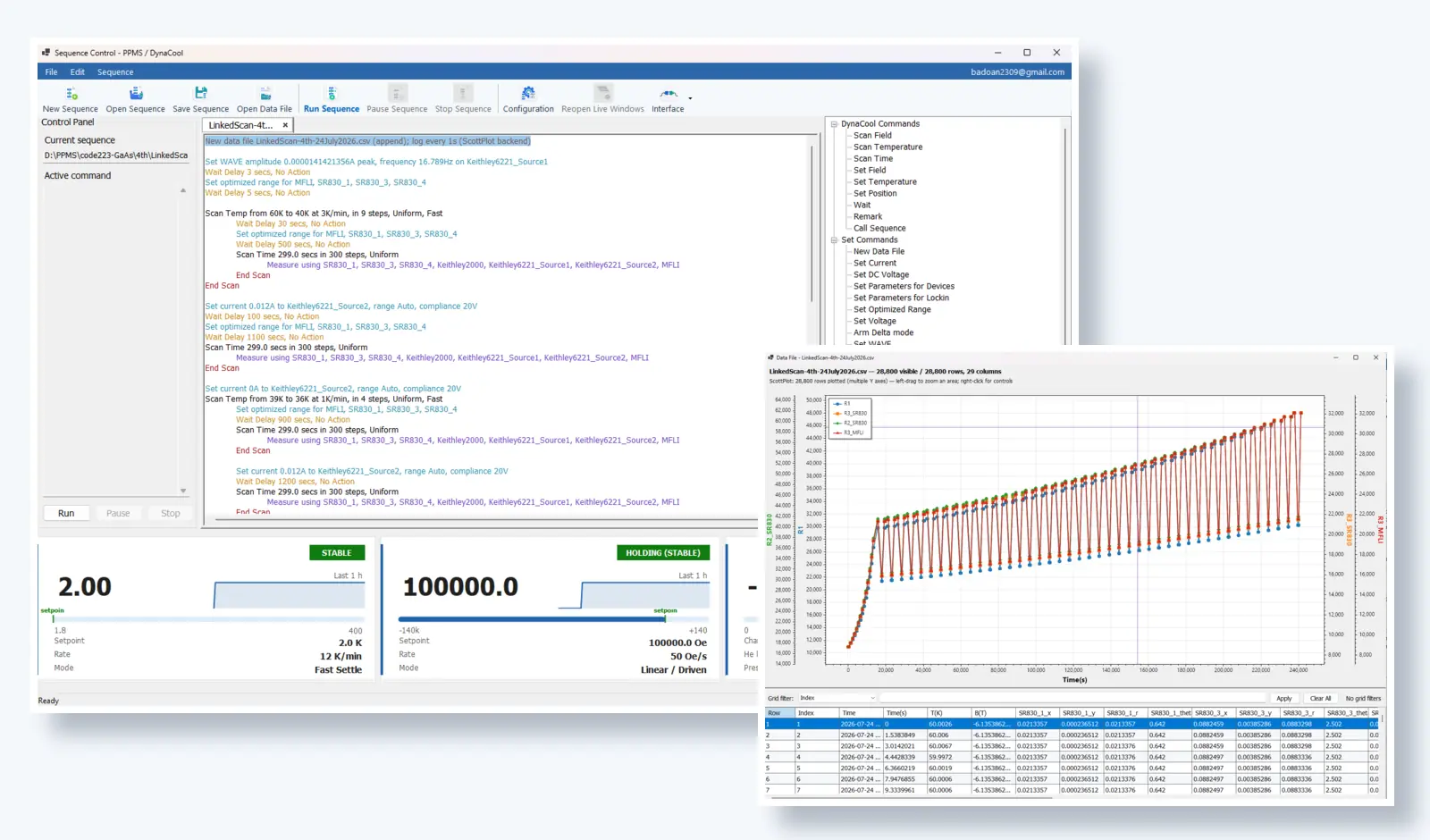
Experiment runningLinked temperature–current scan
Temperature2.00 K · Stable
Magnetic field100,000 Oe
Live data28,800 rows
Built around real laboratory hardwarePPMSDynaCoolKeithleySR830MFLI
The product difference
A complete experiment interface — not another driver framework
Drivers and APIs make devices reachable. Instraxis focuses on the harder layer: user-facing dialogs, sequence logic, environment awareness, live monitoring and repeatable laboratory operation.
Build visually
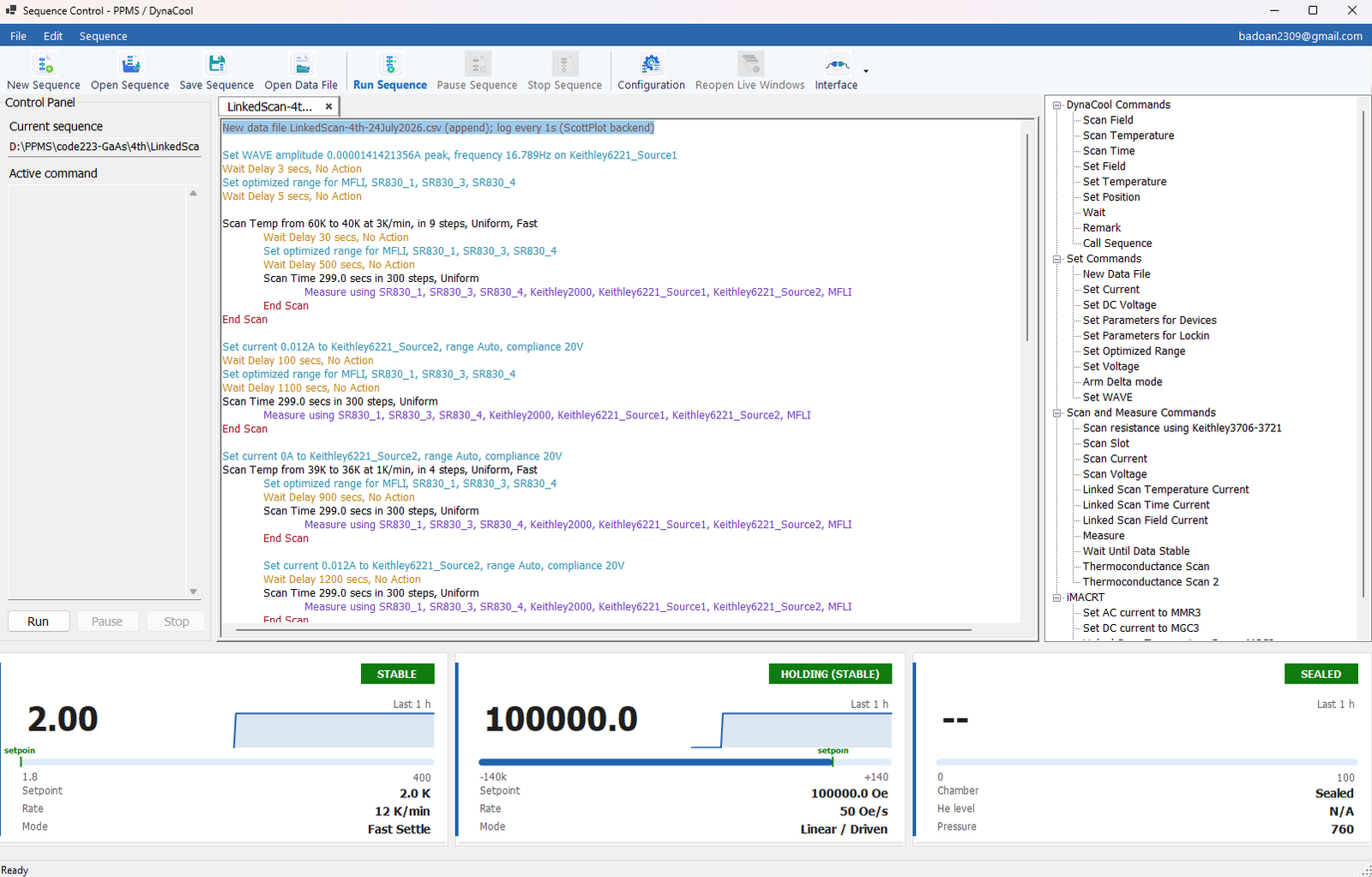
Create experiment scripts from ready-to-use commands, open a dialog to enter parameters, then save and reopen the complete sequence.
Coordinate the system
Treat PPMS or DynaCool as the experimental environment and coordinate the surrounding lock-ins, sources, meters and readout devices.
Inspect as you acquire
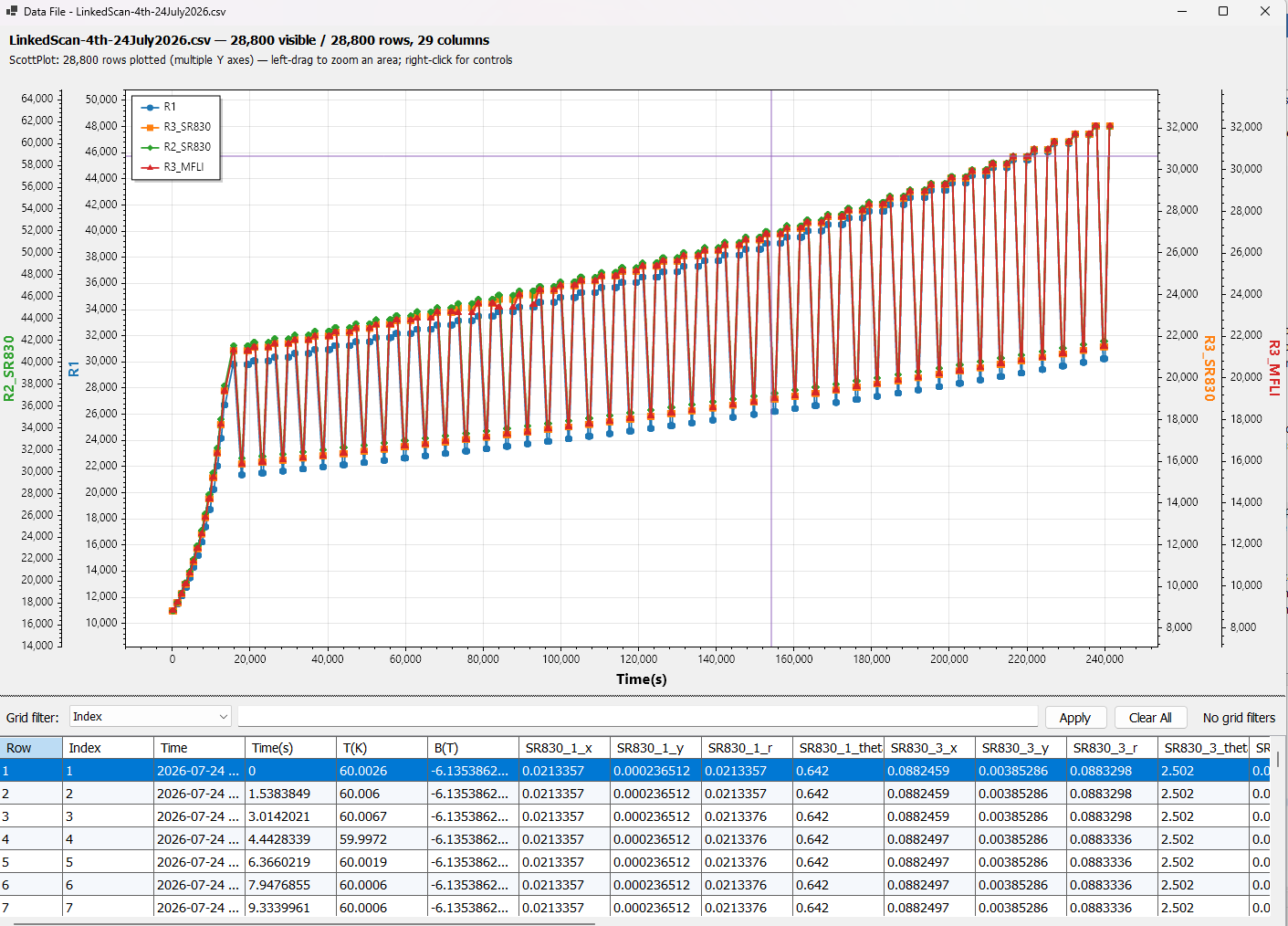
Follow live channels, fit a selected range and inspect peaks or noise inside Instraxis Control. Analysis preserves the acquired samples.
Instraxis Plot · inside Instraxis Control
Large measurement histories. One Control workspace.
Instraxis Plot brings visualization and selected-range analysis into the application that runs your experiment. Follow the latest readings, inspect an earlier region and use fitting, peak and signal tools without leaving Control.
Our fresh four-backend comparison puts large-data plotting to the test: retained-history streaming, full dataset replacement and chart updates during analysis. Bring your own signals to an Instraxis Control evaluation.
Actual application interface. Environment dashboards, sequence script and command catalog in one workspace.
Designed from real measurement work
The GUI carries the experiment knowledge.
The challenge is not only sending SCPI commands. Users need to choose the right parameters for the current measurement context, prepare the next actions in advance and let the experiment continue without repeated manual intervention.
Double-click command dialogsConfigure parameters without editing program code.
Nested and linked scansCombine temperature, field, time, current and measurement steps.
Save, reopen and reuseTurn validated laboratory experience into repeatable sequences.
Pause, inspect and continueKeep the operator informed during practical long-duration work.
One experiment, many instruments
The environment is the center — not the limit
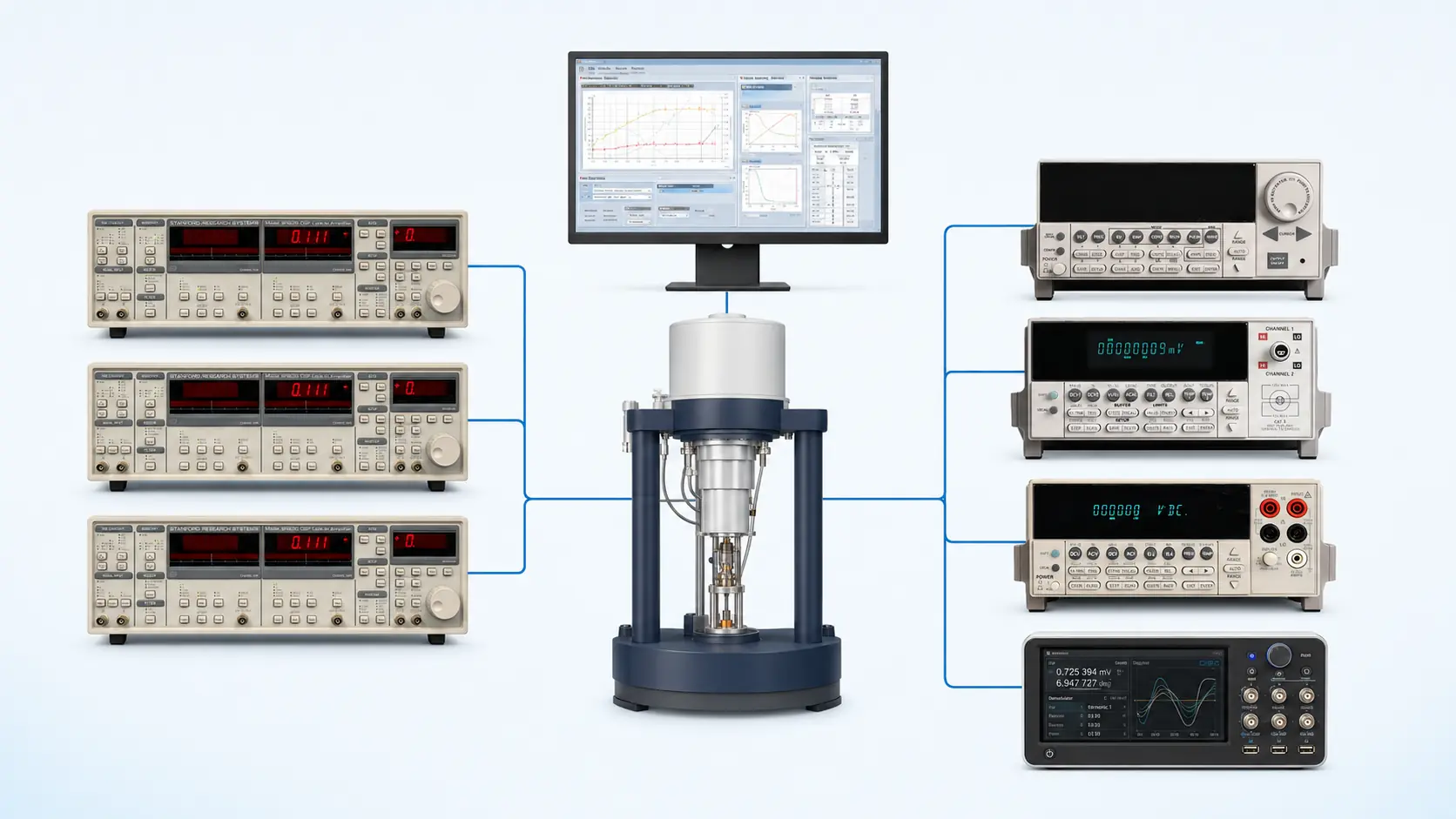
Instraxis coordinates the PPMS or DynaCool environment with the devices laboratories actually connect around it.
Illustrative topology, not an official manufacturer diagram. Third-party names and marks belong to their respective owners.
Sequence-driven operation
From planned steps to live data
The interface is built around an experiment that moves through prepared actions while the user monitors progress and results.
LinkedScan-4th-24July2026 Running
Set temperature 60 K → 40 K at 3 K/min
Wait for measurement conditions Delay and stability workflow
Optimize instrument ranges SR830 units and MFLI
Scan time 299 s in 300 steps
Measure channels Lock-ins, meters and current source
Append live data Plot and data table update
Live measurement
Built for practical laboratory operation
Long experiments need more than a loop that runs for a long time
Instraxis is developed around real measurement campaigns where the environment, instruments, data and user interface must stay coordinated throughout the run.
Hours → daysSequence structure suited to long unattended measurement campaigns.
Multiple devicesSeveral lock-ins, sources and meters inside one experiment.
Live statusTemperature, field, chamber and measured data remain visible.
Reusable logicSave validated workflows rather than rebuilding them from scratch.
Experiment families
A focused product for complex measurement workflows
The initial commercial focus is PPMS / DynaCool laboratories where external instruments and long sequences create the greatest need.
Transport
R(T) and R(H)
Coordinate temperature or field scans with one or more measurement channels and ongoing data logging.
Set environment
Wait for conditions
Measure selected devices
Append live data
Nested workflow
Linked temperature–current scans
Combine an environment scan with current-source changes and synchronized readout devices.
Scan temperature
Set current
Wait / optimize range
Acquire
Synchronized measurement
Multi-lock-in acquisition
Read several SR830 lock-ins and an MFLI inside one sequence while recording PPMS / DynaCool context.
Configure lock-ins
Set source
Acquire channels
Plot in real time
Advanced workflow
Thermal conductance workflows
Encode heater, sensor, stability, range and trial/final measurement logic into a reusable sequence.
Stabilize
Apply heater power
Read sensors
Store trial / final data
Long duration
Time-dependent measurements
Hold the environment at a selected state and acquire instrument channels over hours or days.
Set conditions
Scan time
Monitor health
Log continuously
Laboratory workflow
Custom experiment recipes
Reuse validated sequences for repeated samples, campaigns and facility users.
A lower software-maintenance burden for the laboratory
A lab may already have code that works. The commercial value of Instraxis is not that control was impossible before — it is that complex operation becomes easier to reuse, understand and support.
Custom legacy control stack
Knowledge distributed across Python, LabVIEW, Visual Basic or device utilities.
New users depend on the person who originally wrote the control code.
Dialogs, live figures and recovery behavior must be built and maintained locally.
Experiment changes often require code edits and re-validation.
Instraxis Control
Visual sequence editing and dedicated command dialogs.
One application for environment control and external instruments.
Live figures, data tables and ongoing logging included.
Reusable experiment files for future campaigns and users.
Current integration portfolio
Focused hardware coverage for the target laboratory
A laboratory does not need hundreds of unrelated drivers. It needs the relevant instrument families to work together in the experiment it actually runs.
Quantum Design PPMS
Temperature, magnetic field and chamber workflowField-tested
Quantum Design DynaCool
Temperature, magnetic field and chamber workflowField-tested
Stanford Research Systems SR830
Multi-lock-in parameter control and acquisitionField-tested
Keithley 6221
Current source, waveform and linked-scan workflowsIntegrated
Keithley 2182A
Low-level voltage acquisition and paired workflowsIntegrated
Support the instruments that create real customer value.
Instraxis prioritizes established high-end and widely used laboratory devices, then expands through customer-led integration rather than pursuing an unbounded driver count.
Field-tested environmentsPPMS and DynaCool are core product targets.
Relevant measurement devicesLock-ins, sources, nanovoltmeters, multimeters and switching hardware.
Custom integration pathAdditional hardware can be assessed when it supports a real paid workflow.
Academic launch pricing
Academic launch pricing for your laboratory
Evaluate your workflow, confirm compatibility and choose the coverage you need.
First 10 external labs
Founding Academic — Single Environment
One control workstation using either PPMS or DynaCool.
€3,450perpetual
Choose PPMS or DynaCool entitlement
Visual sequence editor and reusable scripts
Integrated Instraxis Plot, live figures and data logging
Prices exclude VAT. Final quotation follows a compatibility review.
Bring one real experiment to the evaluation.
Describe the PPMS / DynaCool system, the connected instruments and the sequence you currently run. The evaluation can focus on a workflow that matters to your lab.