
Guided command dialogs
Device and workflow parameters are entered through dedicated interfaces and stored with the command.
Instraxis Control brings sequence design, environment control, external instruments, live figures and data logging into one Windows application. It is intended for researchers who need a finished workflow rather than another software framework to develop.
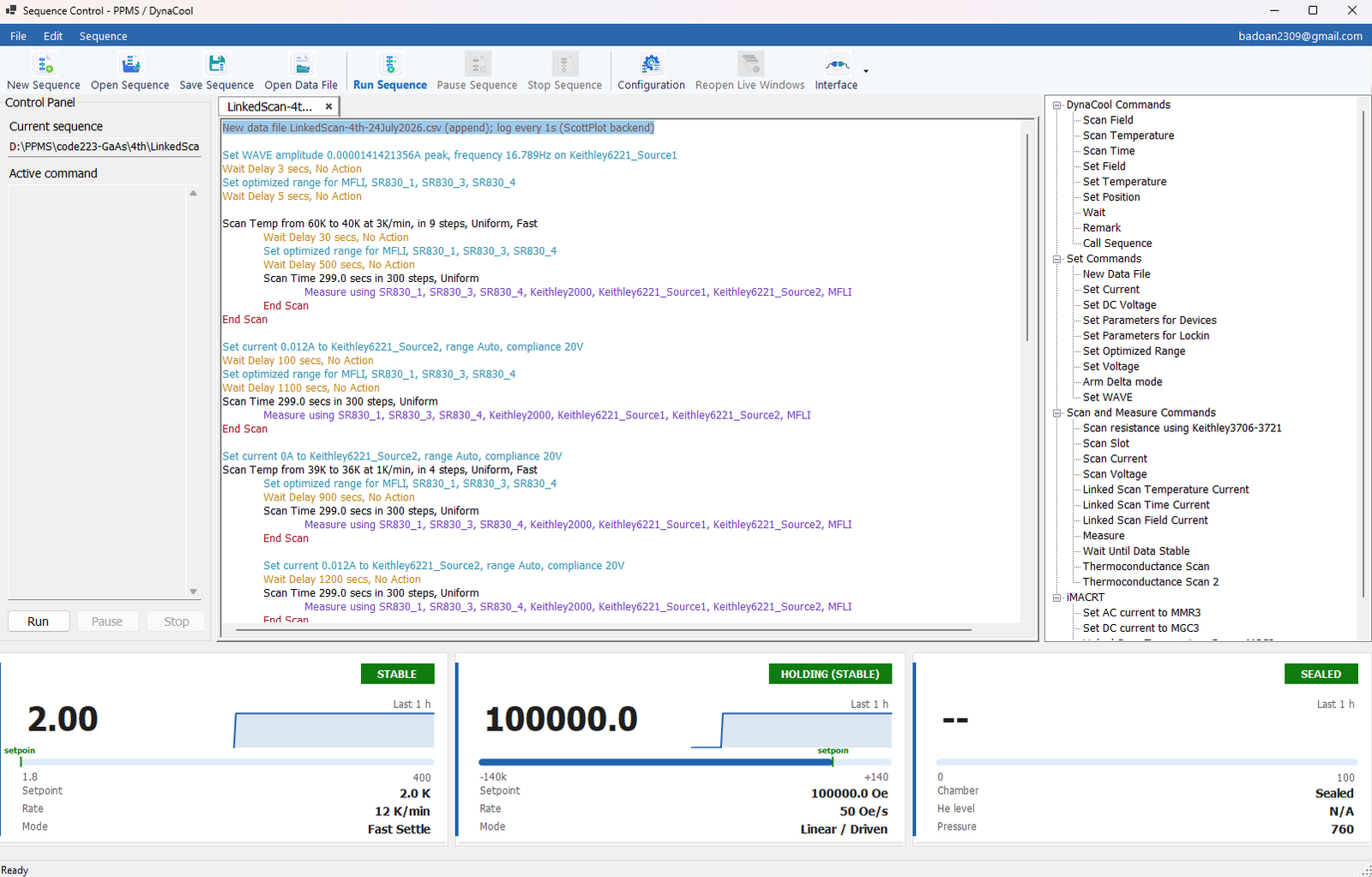
Instraxis keeps complex measurement logic visible as an operator-readable sequence. Users do not need to inspect an instrument driver or a graph of programming blocks to understand what the experiment will do next.
Instraxis combines several layers that laboratories normally have to assemble and maintain themselves.
Device and workflow parameters are entered through dedicated interfaces and stored with the command.
Temperature, field, chamber and stability steps live beside the external measurement logic.
Coordinate several sources, meters and lock-ins inside the same experiment.
Keep the data table, live figures and output file connected to the running sequence.
The exact device and command list can grow, while the operator model remains stable.
Readable command text, nested scan blocks and a clear active-command area.
Immediate visibility into the state of the base system.
Follow multichannel data as it is acquired.
Experiment behavior is encoded as explicit steps rather than hidden in ad hoc code.
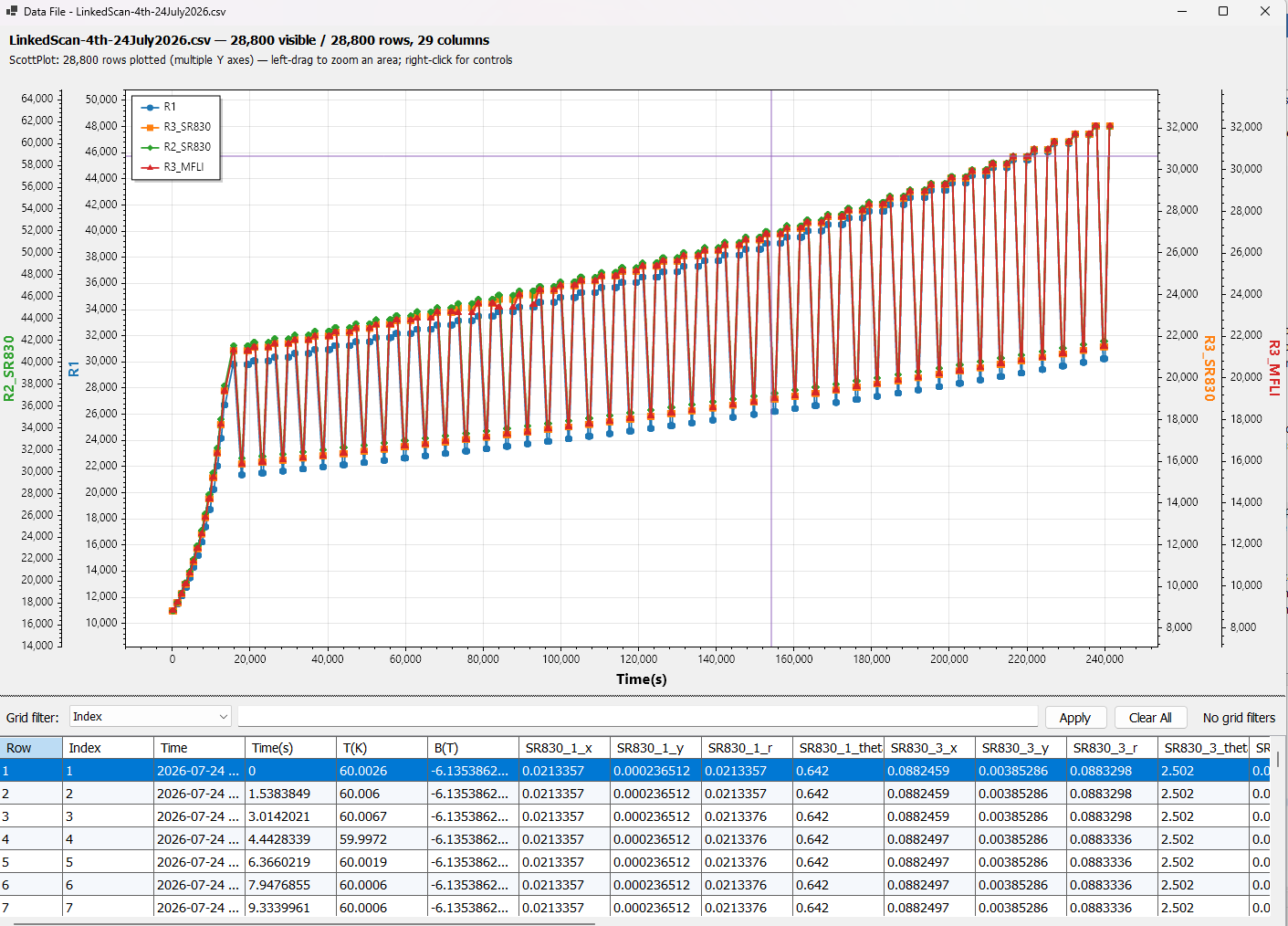
For an experiment that lasts many hours, the user must be able to confirm that channels are responding, values are evolving correctly and data is still being recorded. Instraxis treats the live figure as part of the product workflow.
Our native plotting engine is the default for new measurement figures. The updated backend reduces large-dataset preparation and replacement time, with similar streaming responsiveness in matched tests. Confirm the supplied Control build during evaluation.
Follow incoming readings, select an earlier interval and compare channels on independent axes or stacked plots.
Use curve fitting, peak widths, noise statistics and spectral tools on selected raw data. Sampling requirements and analysis limits remain explicit.
Analysis preserves the acquired samples. Export numerical results with source metadata and save figure projects for later review.
The first evaluation should use a real sequence from your laboratory, not a generic software demo.